
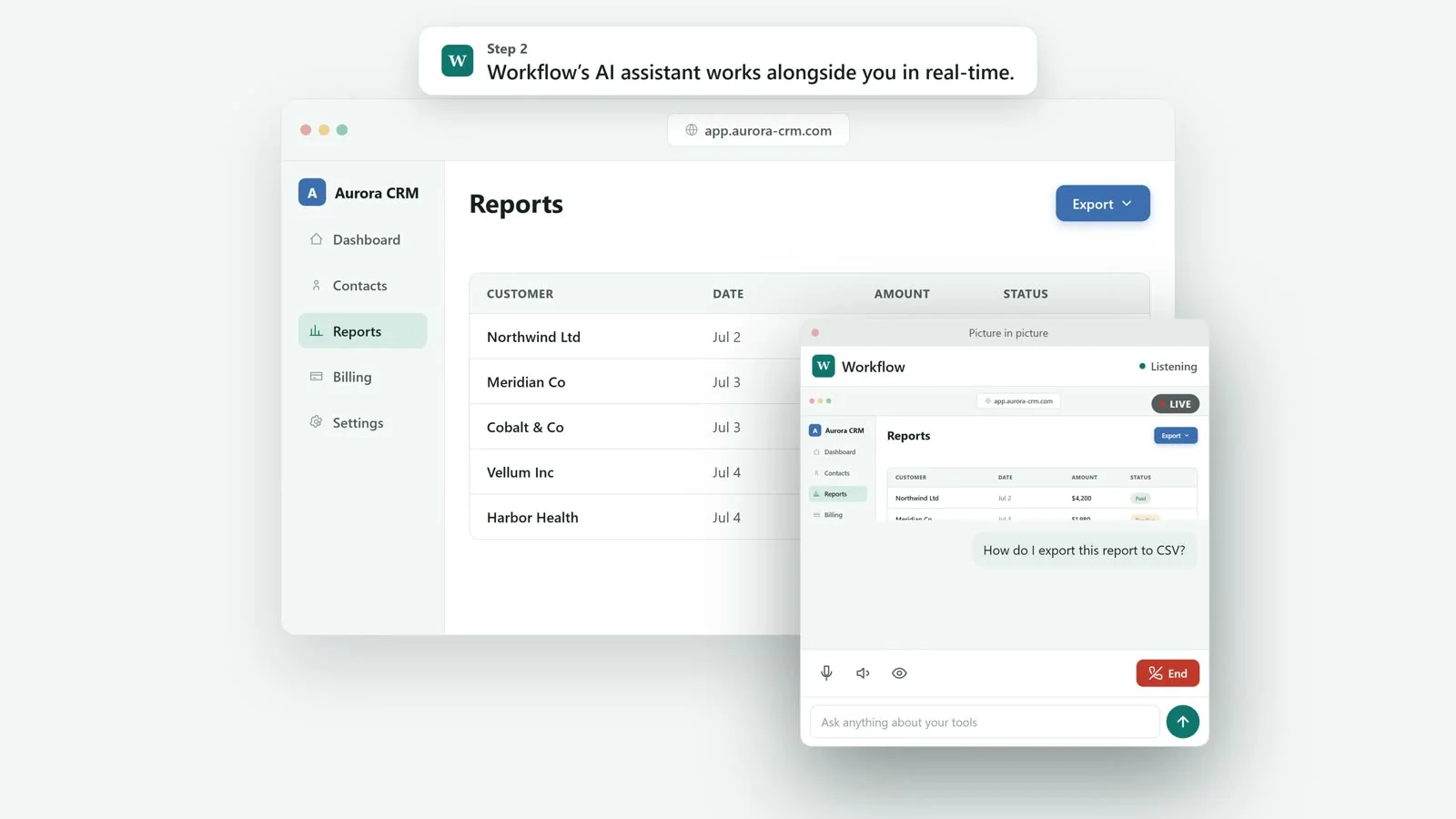
Share your screen, ask by voice or chat, and get step-by-step guidance while you work.
Workflow gives your team real-time AI guidance for the software they depend on. Employees share their screen, ask by voice or chat, and get step-by-step help while they work. It uses your guides, processes, and software knowledge to deliver consistent support whenever your team needs it.
Designed for faster onboarding and fewer escalations
- Reduced training costs
- Web-based platform
- Encrypted security
- Fewer escalations
Support That Scales With Your Team
An AI assistant that helps employees complete tasks with confidence.
Accelerated Onboarding
Help new employees navigate company systems faster with real-time AI guidance.
Knowledge Where It’s Needed
Make internal processes easier to follow without relying on documents or memory.
Reduced Support Dependency
Give employees consistent answers before routine questions reach managers, IT, or support teams.

How Workflow helps your team, in three steps.
Set up Workflow with your guides and processes. Then your team can share their screen and get real-time, step-by-step guidance while they work.
- 1
Add your guides and processes
Upload your guides and processes. Workflow uses your knowledge to support your team the way your business works.
- 2
Support employees in real time
Employees request help by voice or chat in real time, while they work.
- 3
Get AI guidance step-by-step
Workflow delivers accurate, context-aware guidance using your organization’s knowledge, tailored to each employee’s current screen share.
Workflow Key Features
Workflow learns from your guides
Workflow learns from your guides, wikis, and how-to documents to ensure answers match how your business operates.
Workflow understands what’s on screen
When employees share their screen, Workflow can respond with guidance tailored to the task in progress using real-time AI.
Instant, plain-language responses
Employees get immediate answers in clear language, without searching across documents or systems.
Ask by voice or chat
Employees can request support by voice or chat in real time while completing their work.
No unnecessary data storage
Workflow supports screen-based guidance within the live session, with controls available for employees and admins.
Actionable admin visibility
Admins can see where employees get stuck, helping you continuously improve training and processes.

What each person can do.
Get help while you work
- Ask how to do anything in your company’s software
- Share your screen and get answers in context, right where you’re working
- Your admins can see your chats to help you
Set up and run everything
- Add employees, promote or revoke admins, and manage seats
- Support your whole company as one flat list of employees
- Read employees’ chats and watch their live screens to help
We handle the setup
- We train your assistant on your own guides and documents
- We manage your account, plan, and seats for you
- We never see your employees’ chats or their screens — only your admins do
What teams see after using Workflow.
- 60%
- New hires learn the tools faster
- −40%
- Fewer repeat “how do I” questions
- 24/7
- Help is available any time
- 1 day
- To get set up and running